

 Bahasa Indonesia
 Deutsch
 Español
 Français
 Português (Brasil)
 Türkçe
 ไทย
 中文(简体)
 中文(繁體)
 日本語
 한국어
Get your robot
In Erebus, you design your robot: you choose its sensors and where they go, within a budget. Every program needs one, so the first step is to get a robot and load it in Erebus.
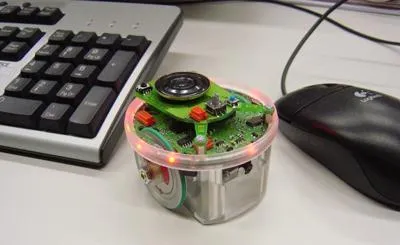
The robot is based on the e-puck, a small round educational robot with two wheels. You add sensors to it with the Robot Customizer, and save the design as a .json file that Erebus loads.
The starter robot
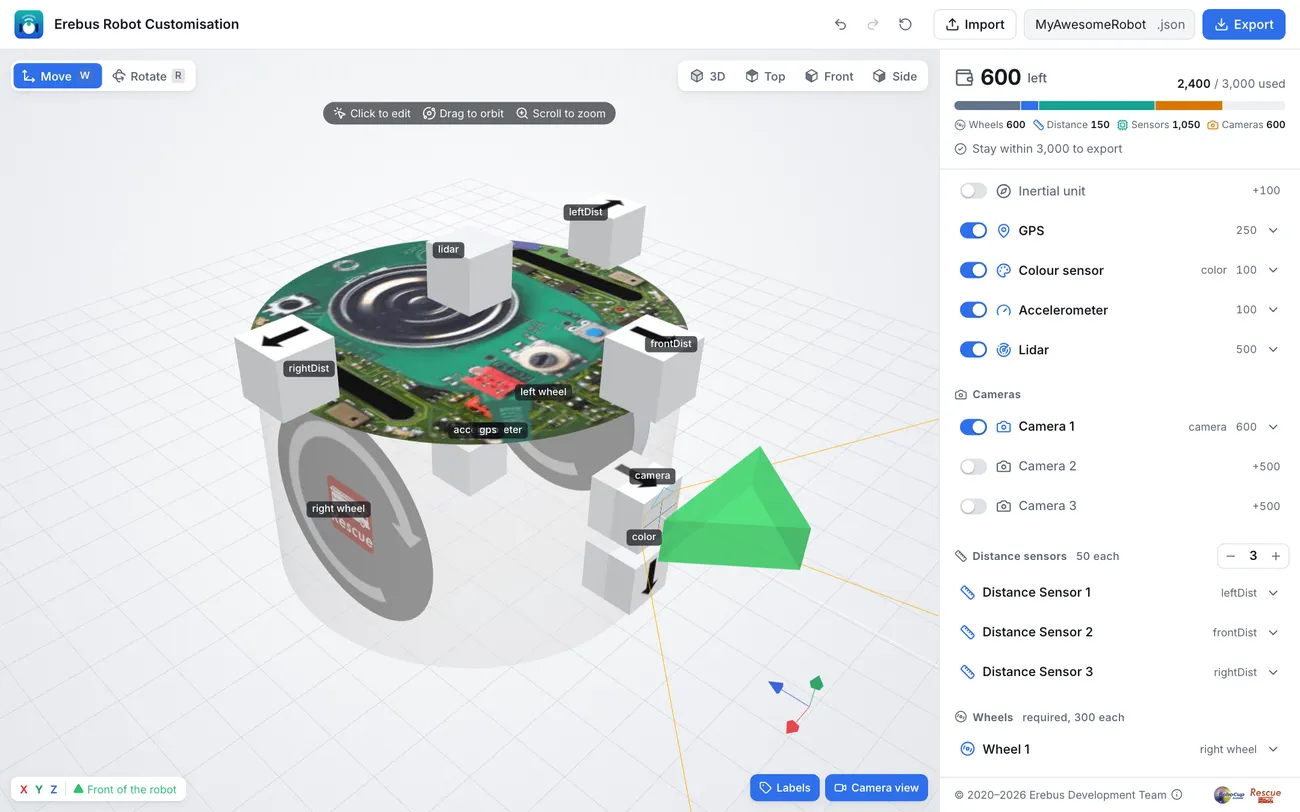
Section titled “The starter robot”This documentation uses one robot everywhere, the starter robot, so that every example works as it is. It has all the sensors the tutorials need:
| Component | Name in your program | What it is for |
|---|---|---|
| Two wheels | left wheel motor, right wheel motor |
Moving |
| Wheel encoders | left wheel sensor, right wheel sensor |
Measuring how far the wheels turned |
| Three distance sensors | leftDist, frontDist, rightDist |
Finding walls on the left, in front and on the right |
| Camera, 64 × 40 pixels | camera |
Finding wall tokens |
| Colour sensor | color |
Seeing the floor: holes, swamps and passages |
| GPS | gps |
Knowing its position, to report tokens |
| Gyro | gyro |
Measuring how much it has turned |
| Accelerometer | accelerometer |
Measuring acceleration |
| Lidar | lidar |
Measuring distances all around |
| Emitter and receiver | emitter, receiver |
Talking to the game. Every robot has them. |
It costs 2400 of the budget of 3000.
Choose your path
Section titled “Choose your path”Recommended: build it yourself. It takes about 15 minutes, and you will understand every part of your robot. Follow Build your robot.
In a hurry: download the finished robot and continue with the tutorials. You can always come back and build it later.
Load it in Erebus
Section titled “Load it in Erebus”- Open a world, such as
game/worlds/world1.wbt. - In the control window, press the right LOAD button, with the robot icon, and choose your
.jsonfile. - Check the Webots console. Erebus lists each component with its cost, and ends with
Your custom robot has been successfully generated!.
The robot stays loaded until you load another one or reset the game. Next, run your first program.
Designing your own
Section titled “Designing your own”Once you know the basics, change the starter robot or design a new one: more cameras with higher resolution, more distance sensors, sensors in other places. The Robot Customizer reference lists all the components, their costs and limits.
If you change the name of a component, change it in your program too.

Erebus is part of RoboCupJunior Rescue.
News, events and team documents: RCJ Rescue Community Website
© 2020–2026 Erebus Development Team