

 Bahasa Indonesia
 Deutsch
 Español
 Français
 Português (Brasil)
 Türkçe
 ไทย
 中文(简体)
 中文(繁體)
 日本語
 한국어
Distance Sensor
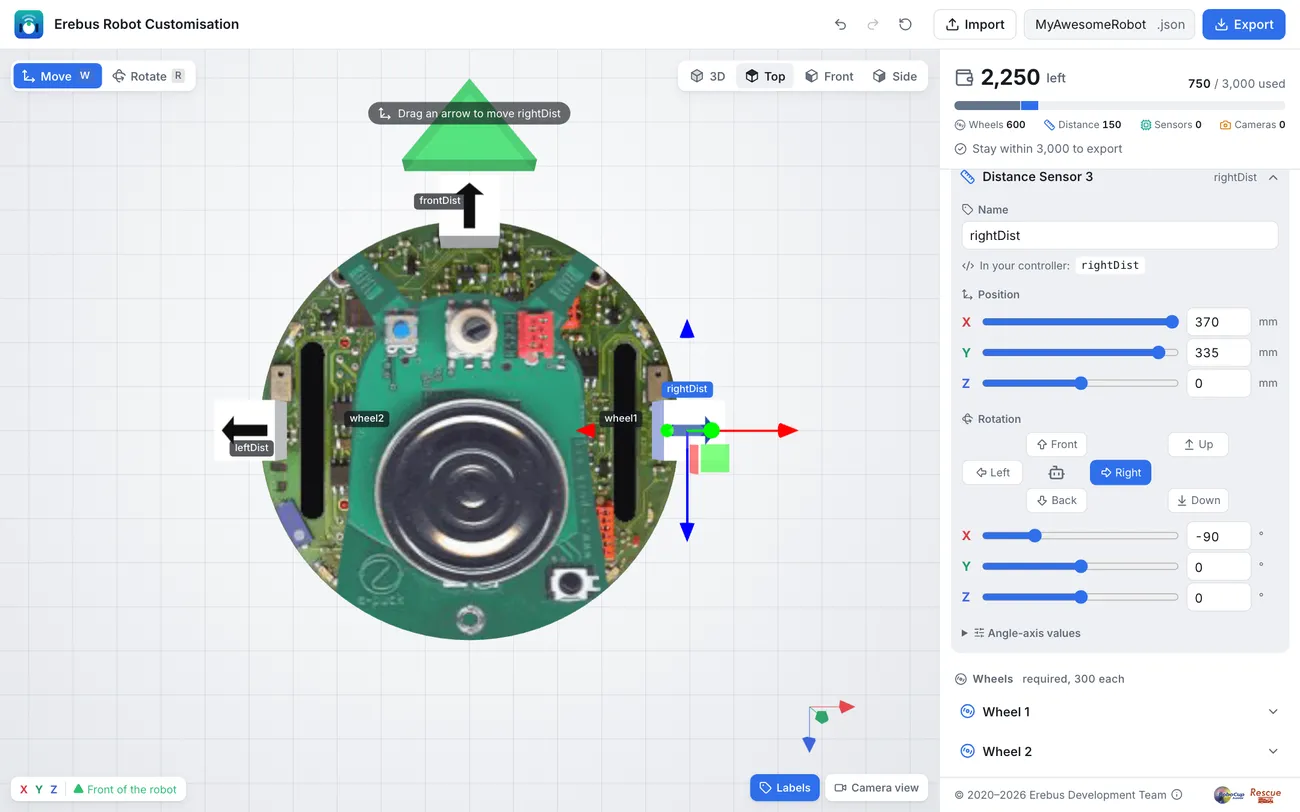
A distance sensor measures the distance, in metres, to the first object in front of it, up to 0.8 m. The starter robot has three: leftDist, frontDist and rightDist, looking left, forward and right.
Reading a sensor
Section titled “Reading a sensor”from controller import Robot
robot = Robot()timeStep = int(robot.getBasicTimeStep())
frontDist = robot.getDevice("frontDist") # Get the sensor by namefrontDist.enable(timeStep) # Enable it
while robot.step(timeStep) != -1: print("Front:", round(frontDist.getValue(), 3), "m")#include <iostream>#include <webots/Robot.hpp>#include <webots/DistanceSensor.hpp>
using namespace webots;using namespace std;
int main() { Robot *robot = new Robot(); int timeStep = (int)robot->getBasicTimeStep();
DistanceSensor *frontDist = robot->getDistanceSensor("frontDist"); // Get the sensor by name frontDist->enable(timeStep); // Enable it
while (robot->step(timeStep) != -1) cout << "Front: " << frontDist->getValue() << " m" << endl;
delete robot; return 0;}Finding walls
Section titled “Finding walls”A tile is 12 cm wide, so when the robot is in the middle of a tile, a wall on its side is about 5 cm away. This program checks the three sensors, and prints which ones see a wall:
from controller import Robot
robot = Robot()timeStep = int(robot.getBasicTimeStep())
# Keep the sensors in a dictionary, to use them by namesensors = {}for name in ["leftDist", "frontDist", "rightDist"]:    sensors[name] = robot.getDevice(name)    sensors[name].enable(timeStep)
WALL = 0.07  # Closer than 7 cm counts as a wall next to the robot
while robot.step(timeStep) != -1:    walls = [name for name, sensor in sensors.items() if sensor.getValue() < WALL]    print("Walls:", walls)
#include <iostream>#include <string>#include <vector>#include <webots/Robot.hpp>#include <webots/DistanceSensor.hpp>
using namespace webots;using namespace std;
int main() { Robot *robot = new Robot(); int timeStep = (int)robot->getBasicTimeStep();
vector<string> names = {"leftDist", "frontDist", "rightDist"}; vector<DistanceSensor *> sensors; for (const string &name : names) { sensors.push_back(robot->getDistanceSensor(name)); sensors.back()->enable(timeStep); }
const double WALL = 0.07; // Closer than 7 cm counts as a wall next to the robot
while (robot->step(timeStep) != -1) { cout << "Walls:"; for (size_t i = 0; i < sensors.size(); i++) if (sensors[i]->getValue() < WALL) cout << " " << names[i]; cout << endl; }
delete robot; return 0;}Sensors measure from where they are on the robot, not from its centre. Print the values next to a wall to choose your own limits.

Erebus is part of RoboCupJunior Rescue.
News, events and team documents: RCJ Rescue Community Website
© 2020–2026 Erebus Development Team