

 Bahasa Indonesia
 Deutsch
 English
 Español
 Português (Brasil)
 Türkçe
 ไทย
 中文(简体)
 中文(繁體)
 日本語
 한국어
Capteur de distance
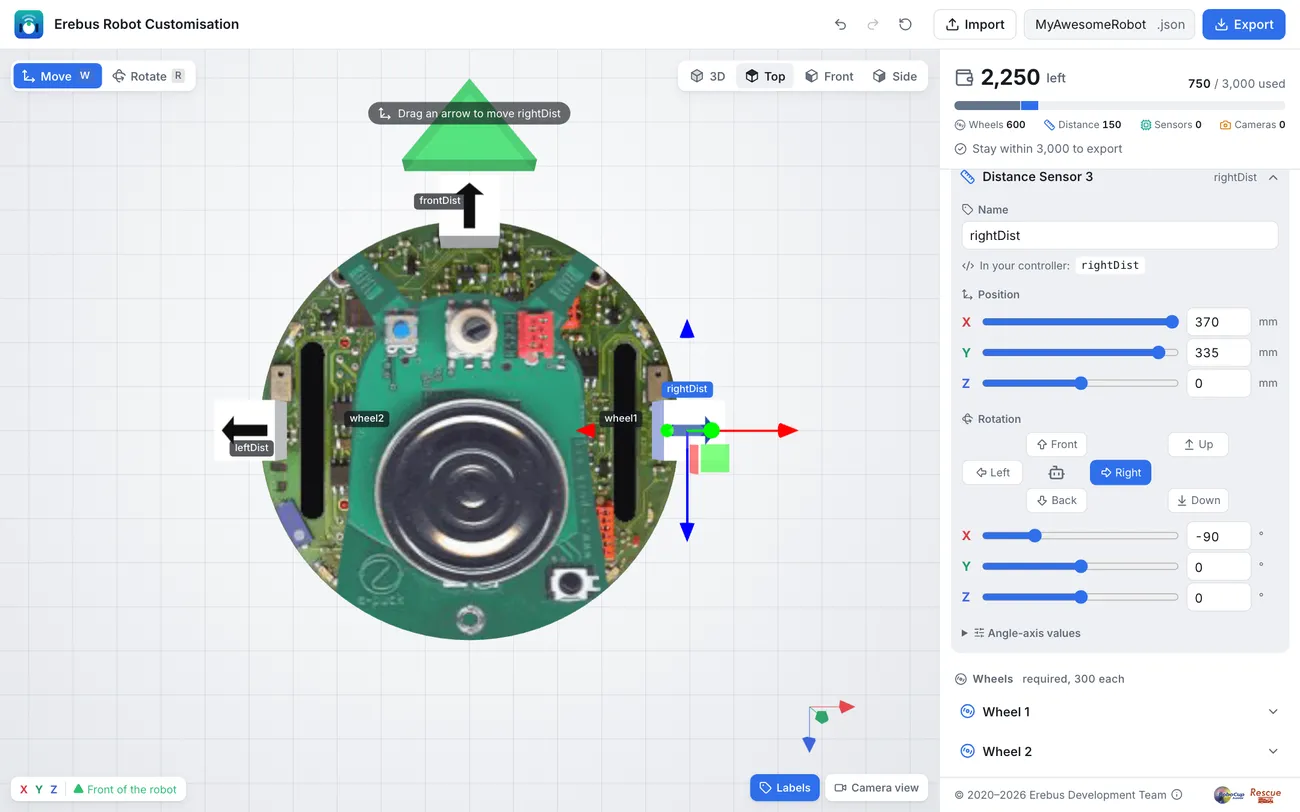
Un capteur de distance mesure la distance, en mètres, jusqu’au premier objet situé devant lui, jusqu’à 0,8 m. Le robot de départ en a trois : leftDist, frontDist et rightDist, orientés vers la gauche, l’avant et la droite.
Lire un capteur
Section intitulée « Lire un capteur »from controller import Robot
robot = Robot()timeStep = int(robot.getBasicTimeStep())
frontDist = robot.getDevice("frontDist") # Get the sensor by namefrontDist.enable(timeStep) # Enable it
while robot.step(timeStep) != -1: print("Front:", round(frontDist.getValue(), 3), "m")#include <iostream>#include <webots/Robot.hpp>#include <webots/DistanceSensor.hpp>
using namespace webots;using namespace std;
int main() { Robot *robot = new Robot(); int timeStep = (int)robot->getBasicTimeStep();
DistanceSensor *frontDist = robot->getDistanceSensor("frontDist"); // Get the sensor by name frontDist->enable(timeStep); // Enable it
while (robot->step(timeStep) != -1) cout << "Front: " << frontDist->getValue() << " m" << endl;
delete robot; return 0;}Trouver les murs
Section intitulée « Trouver les murs »Une case fait 12 cm de large : quand le robot est au milieu d’une case, un mur sur son côté se trouve donc à environ 5 cm. Ce programme vérifie les trois capteurs, et affiche ceux qui voient un mur :
from controller import Robot
robot = Robot()timeStep = int(robot.getBasicTimeStep())
# Keep the sensors in a dictionary, to use them by namesensors = {}for name in ["leftDist", "frontDist", "rightDist"]:    sensors[name] = robot.getDevice(name)    sensors[name].enable(timeStep)
WALL = 0.07  # Closer than 7 cm counts as a wall next to the robot
while robot.step(timeStep) != -1:    walls = [name for name, sensor in sensors.items() if sensor.getValue() < WALL]    print("Walls:", walls)
#include <iostream>#include <string>#include <vector>#include <webots/Robot.hpp>#include <webots/DistanceSensor.hpp>
using namespace webots;using namespace std;
int main() { Robot *robot = new Robot(); int timeStep = (int)robot->getBasicTimeStep();
vector<string> names = {"leftDist", "frontDist", "rightDist"}; vector<DistanceSensor *> sensors; for (const string &name : names) { sensors.push_back(robot->getDistanceSensor(name)); sensors.back()->enable(timeStep); }
const double WALL = 0.07; // Closer than 7 cm counts as a wall next to the robot
while (robot->step(timeStep) != -1) { cout << "Walls:"; for (size_t i = 0; i < sensors.size(); i++) if (sensors[i]->getValue() < WALL) cout << " " << names[i]; cout << endl; }
delete robot; return 0;}Les capteurs mesurent depuis l’endroit où ils se trouvent sur le robot, pas depuis son centre. Affichez les valeurs à côté d’un mur pour choisir vos propres seuils.

Erebus fait partie de RoboCupJunior Rescue.
Actualités, événements et documents d’équipe : site de la communauté RCJ Rescue
© 2020–2026 Erebus Development Team